YTM Menu Bar
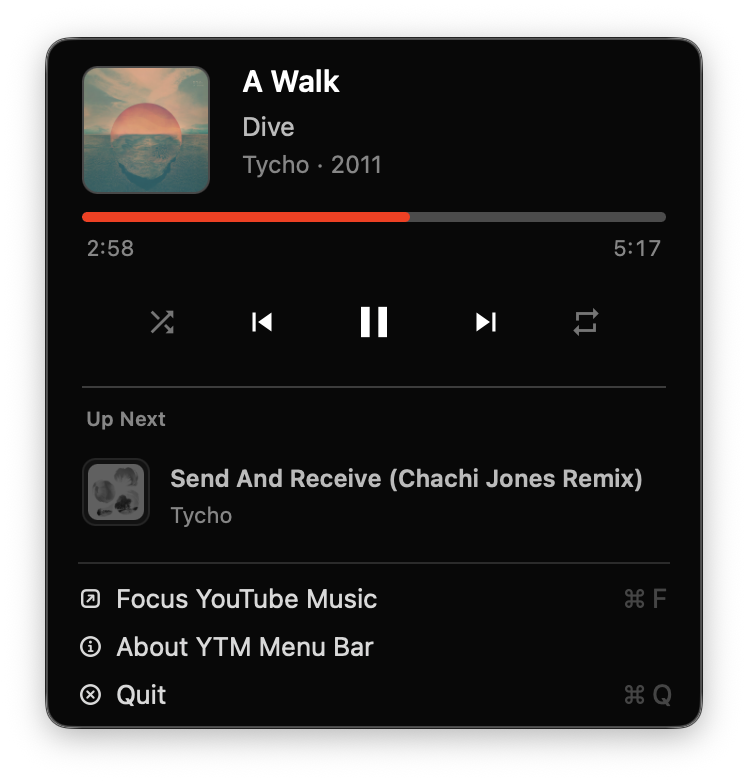
See what is playing, control playback, and open or focus YouTube Music from the macOS menu bar.
Download for macOSOptional controls outside the browser
Keep playback close with now-playing details and controls in the macOS menu bar, Windows system tray, or your terminal.
Connected Apps are in beta. Use the browser extension popup to enable the feature and choose which apps may connect.

Each app requests the same limited playback permissions and only connects after Connected Apps is enabled in the extension.
See what is playing, control playback, and open or focus YouTube Music from the macOS menu bar.
Download for macOSSee what is playing and control YouTube Music from the Windows system tray on Windows 11.
Install for WindowsCommand-line playback controls for users who want scriptable YouTube Music actions.
Download for macOS or LinuxConnected Apps support depends on both the extension browser and the app you install.
YTM Menu Bar installs native messaging manifests for Chrome, Chromium, Microsoft Edge, and Firefox.
The CLI installer supports Chrome, Chromium, Microsoft Edge, Brave, and Firefox on macOS and Linux.
YTM Tray currently supports Chrome, Microsoft Edge, and Firefox.
All three apps communicate locally with the extension. You decide which apps may connect and can turn off access at any time.